
Transfer Settings Between Computers
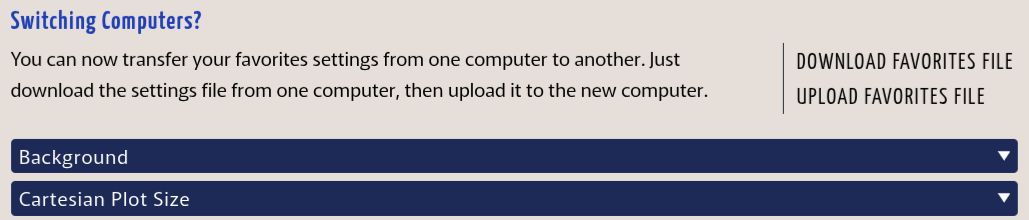
You can now download your favorites and customization settings from one computer and upload them to another, so no more recreating everything from scratch when you get a new computer. It's also great for keeping settings consistent between school and home, or providing consistent styles across a team. (Note: Favorites and customization require a Boost subscription.)
Vertical Number Lines
By user request, it is now possible to display a number line vertically instead of horizontally. Right and left captions are also now available for number lines to accommodate labeling vertical number lines.

Major Ticks Improvement
Previously, major tick marks on Cartesian grids were not as useful as they could have been because they were darker and thicker than, but not longer than, the other tick marks. Now, just as they have been for number lines, major tick marks are longer than other tick marks on Cartesian and semi-log grids, making them much easier to distinguish.
More Custom Colors
You can now add up to 10 additional colors to the color menus on the Customization page. (Boost subscription required.)
Custom Special Characters & Texts
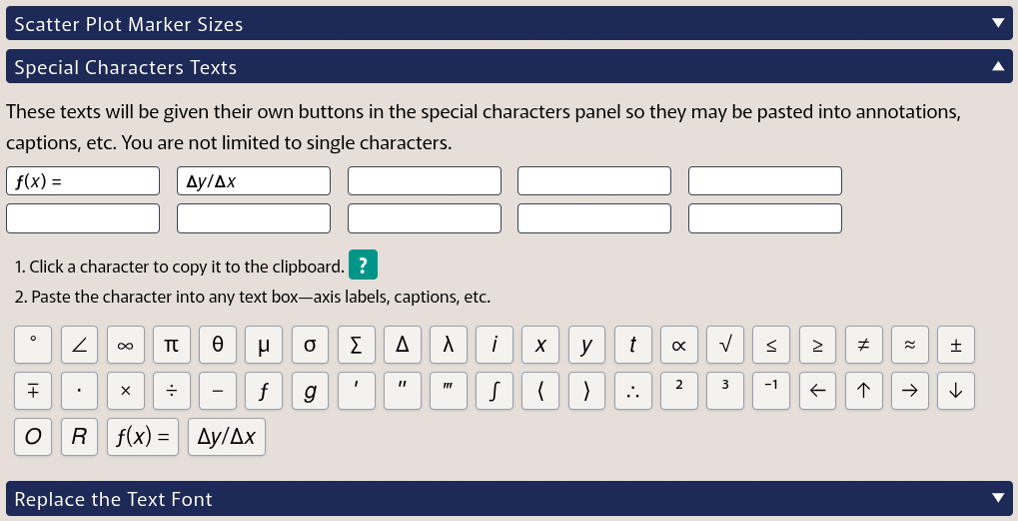
Is there a character that you wish were in the special characters panel? Now you can add it yourself from the Special Characters Texts panel on the Customize page.
Fixes
The Tutorial Videos page linked to the wrong video for Rational Functions and Discontinuities. That has been corrected.
If you drag a legend off the edge of the page, it now snaps back to the same position that other draggable texts would.
The gap around the exponent on semi-log grid labels was misaligned. That gap is now positioned as intended.
A previous update created a bug where isolated points did not appear as expected on a piecewise plot. That has been fixed.